
Search for the seven layers of cybersecurity and you will find two things that are not the same. One is a genuinely useful way of laying out a defence so that you can see where the holes are. The other is the OSI networking model, which also has seven layers, describes something completely different, and gets cited in security articles by people who have confused the two.
This is the first one. Seven places where a control can live, from the lock on the door to the person holding the laptop key. It is not a standard, nobody certifies against it, and the exact boundaries move depending on who drew the diagram. What it is good for is a specific and common failure: buying the fourth tool for a layer you already cover well while an entire layer next to it has no owner at all.
The order is conventional rather than a ranking. What matters is not where a layer sits but whether it has a named owner, a control you could describe to a stranger, and evidence that the control works.
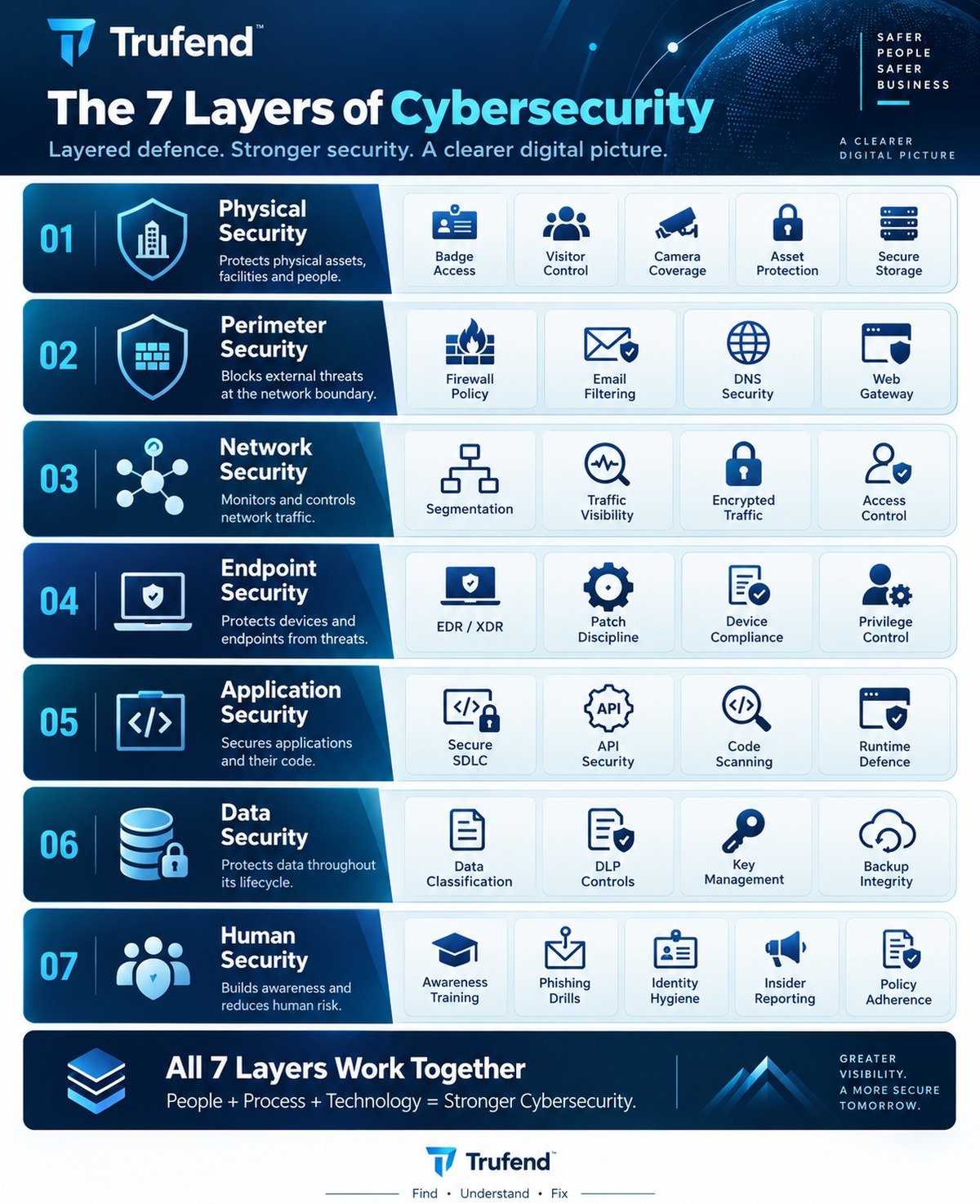
What defence in depth actually means
Every control you own will fail at some point. The filter will pass a convincing email. The patch will land a week late. Somebody will reuse a password on a site that is later breached. Layered security is not an attempt to make each control perfect, which is impossible, and it is certainly not an attempt to buy seven products. It is an arrangement where a single failure is survivable because something else is standing behind it.
That reframes the question you ask of each layer. Not "is this secure", which nothing ever is, but "when this fails, what catches it". The phishing email lands, so multi-factor authentication stops the password working. The laptop is stolen, so disk encryption makes it a paperweight. A web application is compromised, so database isolation keeps it to one customer's data rather than everyone's. Each of those pairs crosses two layers, which is the whole point.
The failure mode the model is designed to expose is the unbalanced defence: three overlapping tools watching network traffic, and nobody able to say who still has an account after leaving. That is a real and extremely common shape, and it happens because tools are easier to buy than processes are to run.
Layer 1: physical security
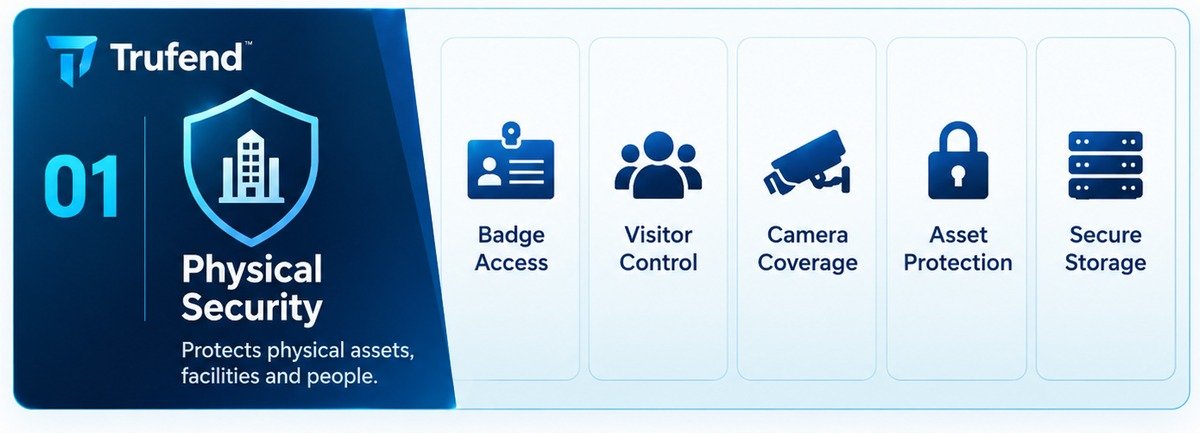
The layer everyone skips because it feels like it belongs to the 1990s, and the one that quietly undoes the other six when it is missing. Every digital control assumes an attacker is remote. Physical security is what makes that assumption true.
The controls are ordinary. Who can open the door, and does the system know it was them rather than the badge. What happens to a visitor between reception and the meeting room. Whether the cupboard holding the switch and the backup drive locks, and who holds the key. Where laptops sit overnight. How a device is disposed of, because a drive that leaves the building intact is a data breach with a delay on it.
What goes wrong: propped fire doors, a "server room" that is also where people store bicycles, and decommissioned hardware stacked in a corner for eighteen months because nobody owns the disposal step. The most common real failure is not a break-in. It is a laptop left in a car, which is why this layer and the endpoint layer are joined at the hip: full disk encryption is the control that makes a physical loss survivable.
If your business runs from co-working space or entirely from homes, this layer does not disappear, it moves. Your physical control is your landlord's access system plus whatever you can say about the homes your staff work from, and the honest version of that written down is worth more to a customer than a policy describing a building you do not have.
Evidence a customer or auditor asks for: an access list with dates, a visitor log, a record of who holds keys, and a disposal record for hardware that has left.
Layer 2: perimeter security
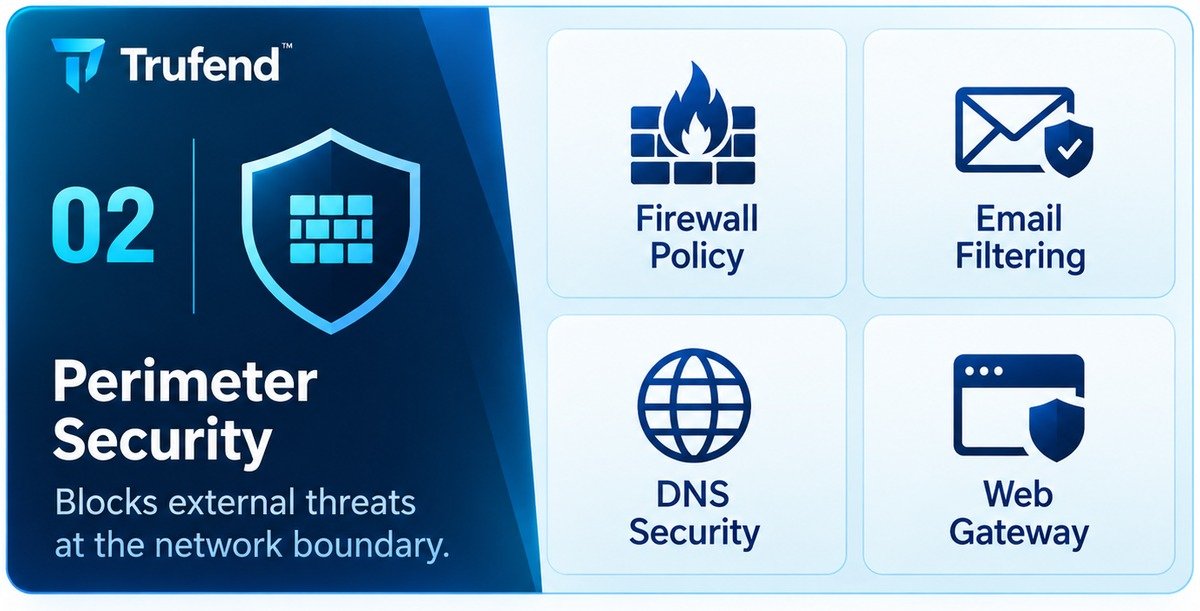
The boundary between you and everyone else. It used to be a line around an office; now it is wherever your traffic enters and leaves, which includes the cloud services holding most of your data and the home networks your staff work from. The perimeter has not stopped existing, it has stopped being a place.
This is also the first layer with a genuinely public face, and therefore the first one a stranger can assess without your permission. Your email authentication records, your DNS configuration and your TLS setup are published to anyone who asks a resolver for them, which means they are the part of your security posture you cannot keep private. That cuts both ways: it is the part you can fix in an afternoon without touching a single internal system.
Email is where most of this layer's real risk sits, because email is how
most incidents begin. Three records decide whether somebody can send mail that
appears to come from your domain: SPF lists the servers allowed to send, DKIM
signs messages so tampering shows, and DMARC tells receiving servers what to do
when both fail. The trap is that publishing them is not the same as enforcing
them, and a DMARC record set to p=none enforces nothing at all
while looking, to anyone reading a checklist, exactly like a record that does.
We wrote up the whole arrangement in
SPF, DKIM and DMARC, and what each one
actually does, and the
free SPF and DMARC generator
builds the records with a live count against the ten lookup limit that quietly
breaks SPF for so many domains.
DNS carries a second risk that has nothing to do with email. A record pointing at a service you no longer use is an invitation: whoever claims that service next inherits a hostname on your domain, with your reputation attached to whatever they publish on it. Subdomain takeover explains how to find those before somebody else does. And because the certificates issued for your domain are published in public logs, your subdomain list is not private either, which surprises people the first time they see the full list of things they have quietly put on the internet.
Evidence: the current firewall rule set with a date and a reviewer, an email authentication policy that actually enforces, and a list of hostnames you own with the service each one points at.
Layer 3: network security
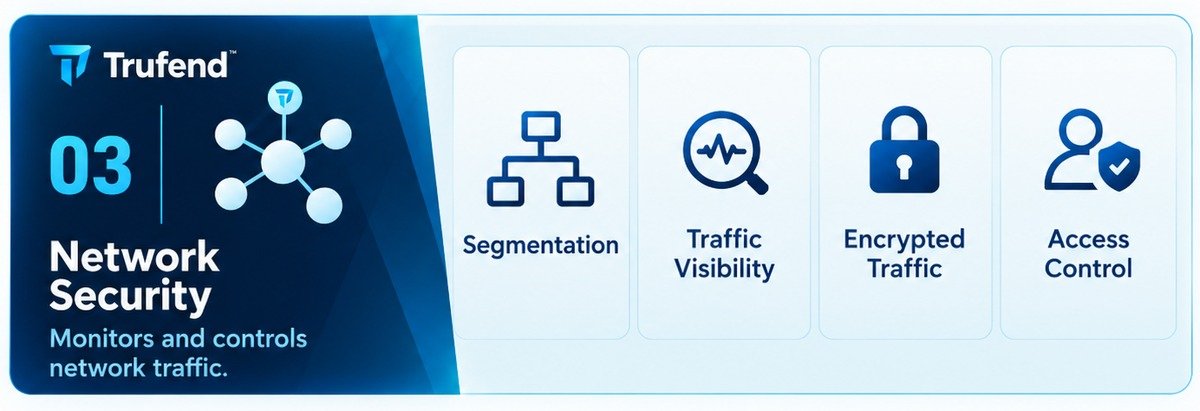
Once something is inside, this layer decides how far it gets. A flat network is one where a compromised printer can reach the finance server, and flat networks are the norm in small organisations because everything works immediately and nothing complains.
Segmentation is the main control and it does not require an expensive appliance. Guest wireless on its own network is segmentation. Payment devices on a separate network is segmentation, and for anyone handling card data it is mandatory. Putting the cameras, the door system and the smart television somewhere your laptops cannot reach is segmentation, and those devices deserve it: they ship with default credentials, rarely get patched, and stay in service for a decade.
Traffic visibility is the second control and the harder discipline, because it is only useful if somebody looks. Logs nobody reads are a cost with no benefit. Pick the handful of events that would matter, decide who looks at them and how often, and write that down: that one page is what turns logging into monitoring. If the systems you care about are web facing, the same argument applies to your access logs, and our guide to reading a server access log covers what to look for, with a free log analyser that reads the file in your browser rather than uploading it.
Encrypted traffic belongs here too. Inside the network is not a trusted place any more, and services talking to each other in plain text because they are "internal" is a habit from an era when the network had edges. That includes your own site: TLS that is present but misconfigured, or a certificate nobody owns the renewal of, is one of the more embarrassing ways to take yourself offline. We covered the specifics in what a TLS certificate check actually checks.
Evidence: a network diagram that matches reality, the segmentation rules with a reason for each, and a named person who reviews the alerts on a stated schedule.
Layer 4: endpoint security
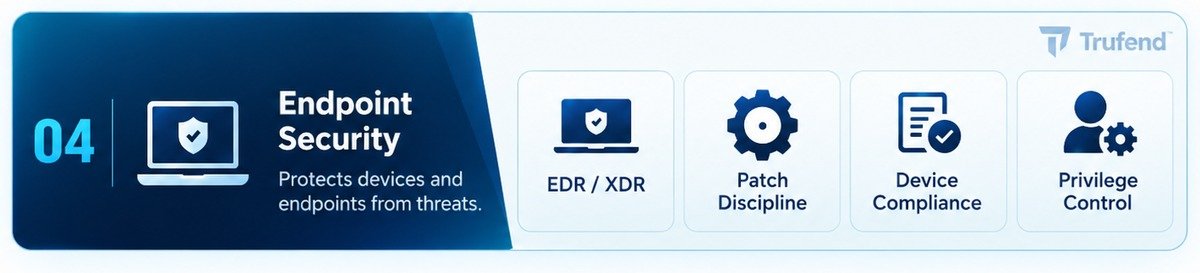
Every laptop, phone, tablet and server, including the ones people bought themselves and the one contractor's machine nobody counts. This is the layer where an attack actually executes, which is why it attracts the most product marketing and the most acronyms.
Of the four controls here, patch discipline is the boring one and the one that prevents the most incidents. Not a patch policy document: an answer to the question "how long does it take, in practice, for a critical update to reach every device", and a way to notice the machine that has been offline for five weeks. The gap between a fix being available and a fix being installed is where mass exploitation lives, and it is usually measured in days.
Privilege control is the one with the best return for the least money. Standard users cannot install what a standard user cannot install, and that single change turns a large class of successful compromises into an error message. Administrator rights as the default, because it was easier during setup, is one of the most common findings in small companies and one of the cheapest to fix.
Detection and response tooling is worth having, and it is worth being honest about what it needs: alerts go somewhere, somebody reads them, and somebody is allowed to isolate a machine at ten at night. Without that last part, you have bought a recorder rather than a defence. Device compliance is the check that ties the fleet together, and the useful version asks four questions of every device: is it encrypted, is it patched, is it screen locked, and does the company know it exists.
Evidence: a device inventory, current patch levels with the oldest outstanding item visible, encryption status per device, and a list of who holds administrator rights and why.
Layer 5: application security
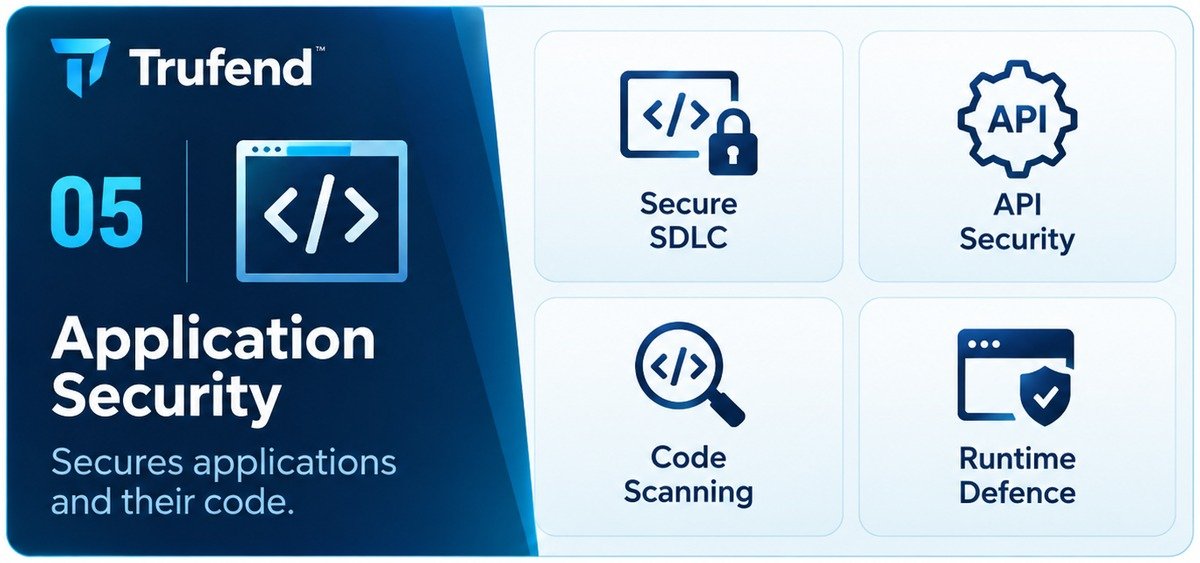
If you build software, this is the layer your customers are really asking about, because a flaw here is reachable by anyone on the internet without needing a single credential. It is also the layer where the controls are habits rather than purchases.
A secure development lifecycle sounds heavyweight and is not. It is four habits: changes get reviewed by somebody other than their author, the branch holding production code cannot be pushed to directly, dependencies get updated on a schedule, and secrets do not live in the repository. Branch protection covers the first two, and getting secrets out of Git covers the last, including the part people get wrong: deleting the line does not remove it from history, and a key that reached a public repository should be treated as spent whatever the commit log now shows.
APIs deserve their own attention because they fail differently from pages. The most common serious flaw in a modern application is not exotic: it is an endpoint that checks you are logged in and forgets to check the record belongs to you, so changing a number in the URL returns somebody else's data. Testing for that class of flaw takes two accounts and ten minutes, and it is the single highest value manual test most teams are not running. Where a database sits behind the application, the same question applies at the storage layer: row level security is what stops one tenant reading another's rows when the application makes a mistake.
Runtime defence is the part of this layer a stranger can measure. The HTTP response headers your site sends decide whether a browser will let another site frame your pages, load your scripts from somewhere unexpected, or downgrade the connection. Security headers explains which ones earn their place, the headers generator writes the configuration for your web server, and the CSP builder handles the one header that is genuinely fiddly, including telling you what a policy you already have actually permits.
Evidence: a pull request history showing review, a dependency update record, a secret scanning result, and the response headers your production site currently sends.
Layer 6: data security
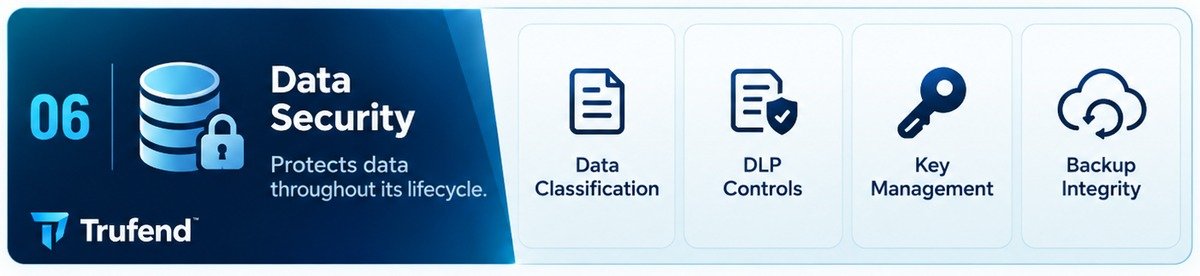
The layer that protects the thing the other six exist for. It is also the layer where the honest answer to "where is it all" takes a week to assemble, because data spreads: the database, the object store, the analytics tool, the support inbox, the spreadsheet somebody exported in March, the backup of all of it.
Classification is the unglamorous first step and it does not need four tiers. Two will do: information that would hurt someone if it leaked, and everything else. Once you can point at the first category, every other control in this layer has somewhere to aim, and the alternative is protecting everything equally, which in practice means protecting nothing particularly well.
Encryption is nearly free now and mostly a matter of confirming it is on: at rest in the database and the object store, in transit everywhere. The part that is not free is key management. Who can decrypt, where the keys live, what happens when the person who set it up leaves, and how a key is rotated without an outage. A rotation you have never performed is a plan, not a control, which is the same argument as rotating API keys and scoping them so the blast radius is small when one leaks.
Backups belong here, and the word "backup" hides the actual control. Having a backup is a hope. Having restored one, recently, to a clean system, with somebody timing it, is a control. Testing a restore covers how to do that without a rehearsal that consumes a week, and RTO and RPO covers the two numbers a customer will eventually ask you for: how long until you are back, and how much data you would lose. Ransomware has also changed what a backup has to survive, which means at least one copy that cannot be deleted by a credential from inside your network.
Data leaves your organisation as well as sitting in it, and everyone you send it to is part of this layer. A vendor inventory is where that starts, data processing agreements are the paperwork it needs, and the vendor and DPA register and record of processing keep both in one place rather than in three spreadsheets.
Evidence: a data inventory with a location and an owner per store, encryption confirmed at rest and in transit, a dated restore test with the time it took, and a list of third parties holding your data with the agreement each one has signed.
Layer 7: human security
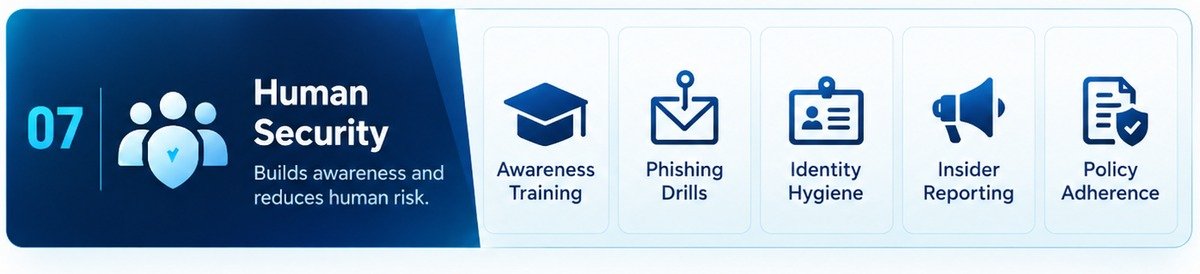
Usually introduced as the weakest link, which is a phrase worth retiring. It is the layer under the most direct attack, because a person can be persuaded and a firewall cannot, and treating that as a character flaw in your staff produces exactly the outcome you do not want: people who hide their mistakes. The measure of a healthy human layer is not how few people click. It is how quickly somebody tells you when they did.
Identity hygiene is the technical half and it carries most of the weight. Enforced multi-factor authentication is the highest value control available to a small organisation at any price, and enforcing it means exactly that: required rather than available, with the accounts that cannot support it counted and dealt with. A password manager removes the reuse that turns somebody else's breach into yours. An offboarding checklist answers the question every access review eventually asks, which is why somebody who left in May still has a live account in September. Doing that review deliberately, once a quarter, is what the free user access review tool is for, and the OAuth app review catches the access nobody granted on purpose: third party applications holding mailbox or drive permissions because one person clicked approve two years ago.
Training is the other half, and short and frequent beats annual and long. What security training should cover sets out the handful of things that actually change behaviour, and the ones worth drilling are the scenarios that bypass technology entirely: the supplier whose bank details changed by email, the chief executive asking for something urgently and unusually, the invoice that arrived a fortnight early. Phishing simulations are useful when they teach and corrosive when they are used to catch people out.
Then there is the part people forget until it is needed: knowing what to do when something has already gone wrong. An incident response plan that fits on one page, with who to call and in what order, is worth more than a forty page document nobody has read, and the free plan builder gets you there in fifteen questions.
Evidence: training records with dates and attendance, a multi-factor authentication coverage report including the exceptions, the last access review with the decisions on it, and an incident response plan somebody can find at two in the morning.
How much of this can anyone see from outside
This is the question that matters if you are being scanned, rated or asked for a security questionnaire, and it is where a lot of tooling is dishonest. Laid against the seven layers, an external scan reaches a narrow band.
That band is worth checking, because it is the part of your posture that is published whether you like it or not, and because it is genuinely quick to fix. External security posture sets out what is in it and why it matters more than its size suggests. Our free scan runs those checks against your domain with no account and nothing installed, and reading your report explains what the grade does and does not mean.
What no scan can do is tell you about the other five layers, and the temptation for any vendor is to imply otherwise, because a report covering seven layers sells better than one covering two. A scan is not a certification makes that limit explicit, and the invisible eighty percent puts a rough number on the share of a real assessment that lives inside your organisation and can only come from you.
Where to start when all seven look like a wall
Seven layers with four or five controls each is thirty-odd things, which is paralysing if you read it as a list to complete this quarter. It is not. Ordered by how much risk they remove for the effort they take, the first week looks like this.
- Enforce multi-factor authentication everywhere it will go. Human layer. More real incidents stopped per hour spent than anything else on this page.
- Take administrator rights off day to day accounts. Endpoint layer. Free, and it neutralises a whole category of compromise.
- Fix your email authentication and actually enforce DMARC. Perimeter layer. An afternoon in your DNS, and it stops people sending mail as you.
- Restore one backup and time it. Data layer. You will either gain a tested control or discover something you very much needed to know.
- List every account on every system, and close the ones belonging to people who have left. Human layer. Nearly always finds something.
- Write the one page incident plan. Human layer. Cheapest control here, and the one you will be most grateful for.
Notice that four of the six are the human and endpoint layers, none of them requires a purchase, and only one touches the two layers a scanner can see. That is not a coincidence, and it is the reason a scan is a useful starting point rather than a plan.
After that first week, the sequence that works is a loop rather than a march: pick the layer with no named owner, give it one control you can describe, write down the evidence that it works, and move on. A layer with a mediocre control and a named owner is in far better shape than a layer with an excellent product and nobody watching it.
How the seven layers meet the frameworks
Nobody will ask you for a seven layer certificate, because there is no such thing. They will ask for SOC 2, ISO 27001, Cyber Essentials or a questionnaire of their own devising. The layers are still useful there, as a map for finding what is missing before somebody else finds it.
In SOC 2 terms, most of layers one to four land in the common criteria series CC6, which covers logical and physical access. Monitoring and operations sit in CC7. The application layer's change discipline is CC8. The human layer is spread across CC1 and CC2, the control environment and communication, which is where policies, training and accountability live. What SOC 2 is, and what it actually asks of you covers the criteria properly, along with what an audit costs and how long it takes.
ISO 27001 cuts the same material a different way: Annex A groups controls into organisational, people, physical and technological, which collapses the seven layers into four buckets without losing anything. Cyber Essentials is narrower and blunter, and five of its requirements map onto the perimeter and endpoint layers almost exactly.
When a customer sends a questionnaire, the answers they want are drawn from all seven layers, which is why the exercise is so tedious the first time and much less so afterwards. Keeping your answers once and reusing them is the whole idea behind the questionnaire answer library, and publishing the uncontroversial ones on your own domain with the trust page generator stops the same six questions arriving by email every month.
The point of counting to seven
The number is arbitrary. Some frameworks use five layers, some use nine, some skip the physical layer entirely because the servers belong to somebody else now. None of that matters, because the model is not the deliverable. The deliverable is being able to answer one question for each layer without hesitating: who owns this, what is the control, and how would I show somebody it works.
Most organisations can answer that for two or three layers and go quiet on the rest. Finding out which ones are quiet is the entire value of the exercise, and it costs nothing but an honest afternoon.